10 Essential Tools for Managing Civic Volunteer Programs


Well-run civic volunteer programs depend on more than goodwill. Coordinators must recruit people, collect information, fill shifts, explain tasks, protect personal data, and show what the program achieved. The right technology reduces repetitive administration while giving volunteers a clearer, more welcoming experience.
A small NGO does not need an expensive collection of disconnected platforms. It needs a practical system in which each tool has a defined job. This guide explains the 10 most useful tool categories and how to combine them into a manageable volunteer workflow.
Why Civic Volunteer Programs Need the Right Tools
Civic volunteer programs need the right tools to organize people, reduce administrative work, and sustain community engagement. Good systems help coordinators spend less time copying information between spreadsheets and more time supporting volunteers and community partners.
Without a consistent process, applications may sit unanswered, shift changes can be missed, and volunteers may receive unclear instructions. These problems are especially costly for neighborhood cleanups, food distribution, voter education, emergency preparedness, public events, and ongoing NGO services.
Technology can create a shared operating picture. A coordinator can see who is available, which tasks remain open, whether a waiver is complete, and when a volunteer last received an update. Volunteers can sign up, confirm attendance, ask questions, and provide feedback through familiar channels.
The human element remains central. A platform cannot replace personal welcome, inclusive leadership, or meaningful recognition. Its value comes from making those relationships easier to maintain at scale.
How to Choose Tools for a Volunteer Program
Choose volunteer-program tools by matching essential functions to real user needs, privacy obligations, budget, and future growth. The best system is usually the simplest one that volunteers and coordinators will consistently use.
Start by mapping the journey from first contact to long-term participation. Ask where information is currently lost, which tasks consume the most coordinator time, and which steps frustrate volunteers. Then assess each potential tool against these criteria:
- Usability: Can a new volunteer register without coaching? Can a coordinator update a shift quickly from a phone?
- Accessibility: Does the service work with screen readers, keyboard navigation, mobile devices, and slower internet connections? Provide non-digital options when needed.
- Privacy and data ownership: Understand what information is collected, where it is stored, who can access it, and how records can be exported or deleted.
- Integration: Look for connections between forms, calendars, email, messaging, and reporting so staff do not re-enter the same data.
- Scalability: A tool should support current activity without forcing a small program into complicated enterprise processes.
- Cost: Consider subscription fees, payment processing, training, volunteer support, and the staff time required to administer the system.
Test a shortlist with several volunteers who have different levels of digital confidence. Their experience often reveals problems that a coordinator will miss.
10 Essential Tools for Managing Civic Volunteers
The 10 essential tool categories are volunteer management, recruitment, scheduling, communication, event registration, project coordination, digital forms, collaboration, CRM, and impact reporting. They can be separate services or functions within one volunteer management platform.
1. Volunteer management platforms
A volunteer management platform keeps profiles, interests, availability, training, waivers, service history, and coordinator notes in one structured record. It becomes the program's operational hub and can reduce duplicated data entry.
Look for configurable fields, role-based permissions, automated reminders, attendance tracking, reporting, and export options. A dedicated platform may be worthwhile when a program runs frequent shifts or multiple projects. For a small pilot, a well-designed database or spreadsheet may be sufficient.
2. Recruitment and sign-up tools
A volunteer recruitment platform or sign-up page should explain the mission, roles, time commitment, location, requirements, and next steps. Short forms usually produce better completion than lengthy applications for low-risk roles.
Include language preferences, accessibility needs, transportation constraints, and relevant skills only when the information supports placement. Confirmation messages should set expectations and provide a contact method for questions.
3. Scheduling and shift-planning tools
Scheduling and shift-management tools show open roles, capacity, dates, locations, and attendance requirements. They help prevent overbooking and make cancellations visible to both volunteers and coordinators.
Useful features include waitlists, recurring shifts, calendar sync, automatic reminders, shift swaps, and check-in. Avoid building a schedule so rigid that volunteers cannot change availability. Flexibility is often essential for people balancing work, caregiving, study, or transportation challenges.
4. Communication and messaging tools
Communication tools deliver timely instructions, reminders, updates, and emergency notices. Email works well for detailed information, while text messaging or a moderated group channel may suit urgent, short updates.
Set communication rules before launch: who may message volunteers, which channel handles urgent changes, how quickly coordinators respond, and how personal data is protected. Keep messages concise and provide one clear action, such as confirming a shift or reviewing a meeting point.
5. Event registration tools
Event registration tools manage attendance for orientations, public meetings, service days, training sessions, and community campaigns. They can collect dietary, accessibility, consent, and emergency-contact information when genuinely necessary.
Use separate registration flows for volunteers, participants, and guests if their permissions or data needs differ. A registration confirmation should include arrival time, parking or transit guidance, contact details, and cancellation instructions.
6. Task and project management tools
Task and project management tools turn a broad civic goal into specific assignments, owners, deadlines, and dependencies. They are useful for campaign preparation, neighborhood surveys, donation drives, and event logistics.
Write tasks as observable actions: Place signs at the east entrance by 8:30 a.m. is clearer than Prepare the entrance. Volunteers should see only the information needed for their role, while coordinators retain the full project view.
7. Digital forms and waiver tools
Digital forms and waiver tools collect consent, emergency contacts, training acknowledgments, incident reports, and post-event feedback. They create more consistent records than scattered paper documents.
Keep forms short, explain why each sensitive field is requested, and identify which questions are required. For minors or higher-risk activities, use an approval process that reflects local law and organizational policy. Always provide an accessible alternative to online completion.
8. File-sharing and collaboration tools
File-sharing and collaboration tools give volunteers access to current handbooks, maps, scripts, checklists, schedules, and meeting notes. A single shared source reduces the risk of circulating outdated instructions.
Use clear folder names, version dates, and permission levels. Do not place confidential volunteer records in a general project folder. Collaboration documents should support teamwork without exposing personal information unnecessarily.
9. CRM or contact-management tools
A donor and nonprofit CRM helps an organization understand relationships among volunteers, donors, members, partner groups, and community participants. It can record interests, communications, recognition, and pathways from one-time service to deeper involvement.
CRM data becomes harmful when it grows without purpose. Define fields, retention rules, and access permissions before importing contacts. A simple contact-management system with accurate records is more useful than a powerful CRM filled with duplicates.
10. Reporting and impact-tracking tools
Impact-tracking tools connect activity data with meaningful outcomes. They can monitor completed shifts, hours, households reached, materials distributed, trees planted, referrals made, or training completed, depending on the mission.
Separate outputs from outcomes. Ten completed shifts are an output; improved access to a service may be an outcome requiring additional evidence. Combine quantitative data with volunteer feedback, community surveys, and partner observations rather than treating one dashboard number as the whole story.
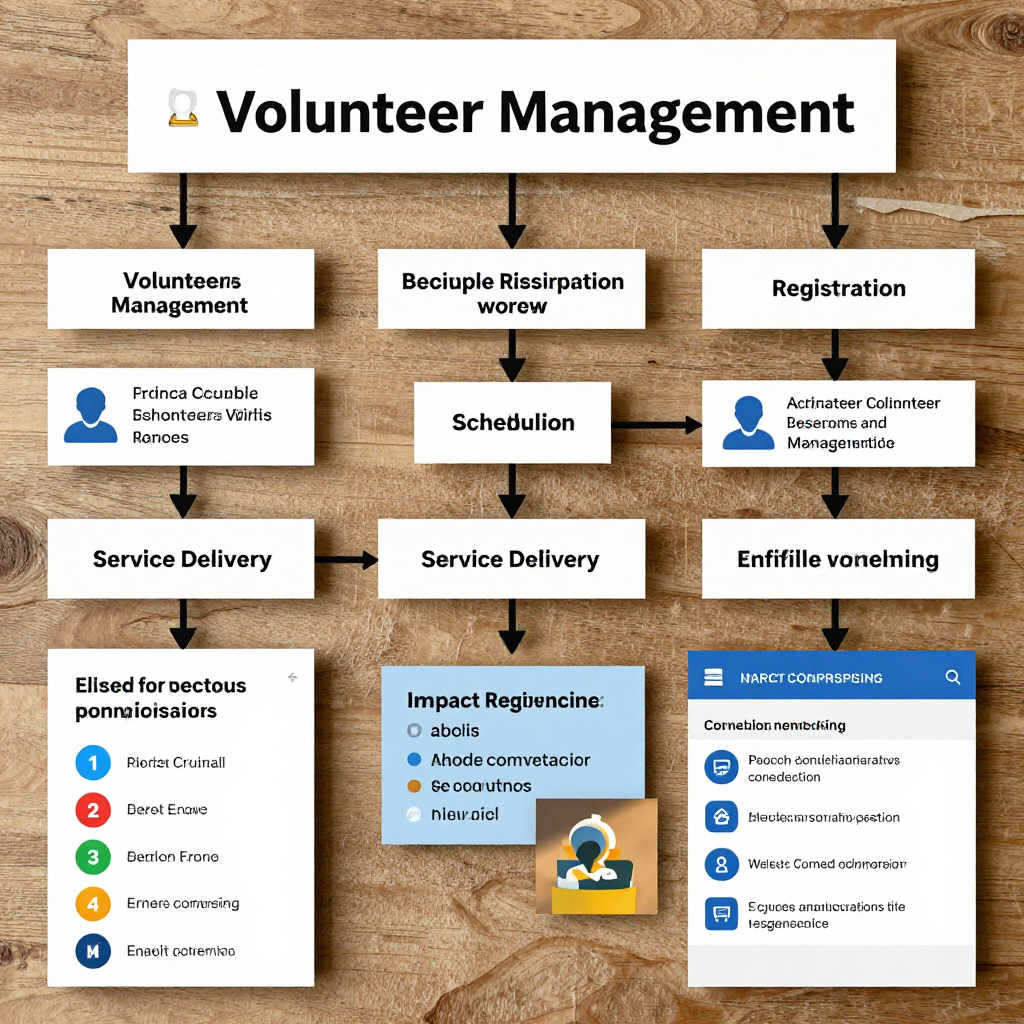
How the Tools Work Together in a Volunteer Workflow
A connected volunteer workflow moves from recruitment and onboarding to scheduling, service delivery, feedback, recognition, and reporting. Each stage should pass only the information needed for the next step.
- Recruit: Publish a clear role description through a recruitment page or community partner.
- Register: Collect contact details, availability, interests, accessibility needs, and required consent through a digital form.
- Onboard: Send orientation materials, policies, training information, and a named coordinator contact.
- Schedule: Match people to shifts using availability, skills, location, and capacity limits.
- Coordinate: Share task instructions, maps, contact details, and last-minute updates through agreed communication channels.
- Deliver service: Use check-in, task lists, and incident procedures to support safe, consistent work.
- Learn and retain: Collect feedback, thank volunteers promptly, record interests, and invite suitable next steps.
- Report: Combine attendance, task, feedback, and community-outcome data for internal learning and responsible funder reporting.
Before adding automation, test the workflow manually with one event. Automation should remove friction, not hide a confusing process.
Building a Practical Tool Stack on a Limited Budget
Build a low-cost tool stack by solving the highest-volume problem first and adding one function at a time. Many small NGOs can begin with an existing email system, a secure form, a shared calendar, a spreadsheet or database, and a clear messaging process.
Prioritize in this order:
- Core records: one reliable place for volunteer contact details, consent, availability, and service history.
- Reliable scheduling: a visible calendar or shift system with reminders and cancellation procedures.
- Clear communication: one primary channel for routine messages and one defined route for urgent changes.
- Basic reporting: a small set of measures that staff can maintain monthly.
Check whether your organization already has nonprofit access to productivity, CRM, or cloud-storage services before purchasing another platform. Avoid overlapping tools that each store a different version of the same contact list. A staged rollout also protects staff capacity: pilot with one team, review after two or three events, then expand.
Best Practices for Adoption and Volunteer Privacy
Adopt volunteer tools through simple training, inclusive processes, informed consent, and disciplined data security. Privacy and accessibility should be designed into the workflow rather than added after a problem occurs.
Give coordinators a one-page process guide and volunteers a short orientation. Explain what data the program collects, why it needs it, who can see it, how long it will be retained, and how a person can request correction or deletion where applicable. Follow relevant legal requirements and organizational policies; privacy expectations vary by location and activity.
- Collect the minimum information required for the role.
- Use role-based access and strong, unique passwords.
- Enable multi-factor authentication where available.
- Remove former volunteers from active lists and review old records on a defined schedule.
- Offer phone, paper, or in-person alternatives for people with limited digital access.
- Test forms and messages with users who have different language, disability, and technology needs.
Common mistakes include choosing a tool because it has many features, creating mandatory forms that ask for unnecessary data, and introducing several platforms at once. Correct these by starting with a minimum viable workflow, reviewing every field, and assigning one person responsibility for tool governance.
Measuring Whether Your Tools Are Working
Measure tool effectiveness through participation, reliability, volunteer experience, retention, and community outcomes. Compare results over time and use the findings to improve the process rather than to judge volunteers.
A balanced scorecard might include:
- Participation: registrations, completed shifts, attendance, cancellations, and waitlist movement.
- Responsiveness: confirmation rates, reminder responses, unanswered messages, and time to fill an open shift.
- Coordination: task completion, late changes, duplicate records, and incidents caused by unclear information.
- Volunteer experience: satisfaction, confidence in instructions, accessibility of the process, and perceived sense of contribution.
- Retention: repeat participation within a defined period and movement into training, leadership, or specialized roles.
- Community impact: service outputs and credible evidence of outcomes identified with community partners.
Review metrics monthly or after major events, but avoid collecting numbers nobody uses. If volunteers attend but report confusion, improve instructions before buying another platform. If sign-ups are strong but attendance is weak, examine reminders, transportation, timing, and the clarity of the commitment.
Frequently Asked Questions
What is the most important tool for managing civic volunteers?
The most important tool is a reliable volunteer management record connected to recruitment, scheduling, and communication. For a very small program, a carefully controlled spreadsheet can provide that foundation.
How can small NGOs manage volunteers with a limited budget?
Start with existing productivity tools, a secure digital form, a shared calendar, and a simple contact database. Add specialized volunteer management software only when manual administration consistently limits service delivery.
Which tools help with volunteer scheduling?
Scheduling platforms, shared calendars, volunteer management systems, and event-registration tools can all support shift planning. Choose features such as reminders, capacity limits, waitlists, recurring shifts, and easy cancellation handling.
How should organizations protect volunteer data?
Collect only necessary information, explain consent, restrict access, secure accounts, review retention periods, and provide non-digital alternatives. Document who manages incidents and data requests.
Can one platform handle every volunteer-management need?
Some platforms cover many functions, but no single service is automatically best. An all-in-one system may simplify integration while limiting flexibility or increasing cost, so test the most important volunteer and coordinator journeys before committing.